|
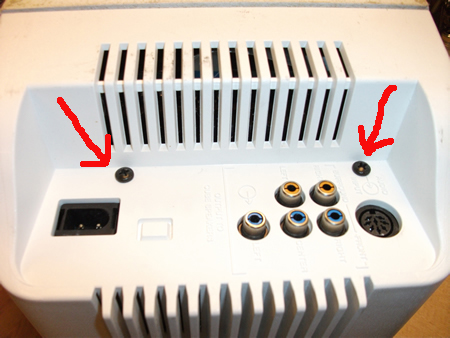
Remove the 2 screws as shown. Some models
do not have these 2 screws. |
 |
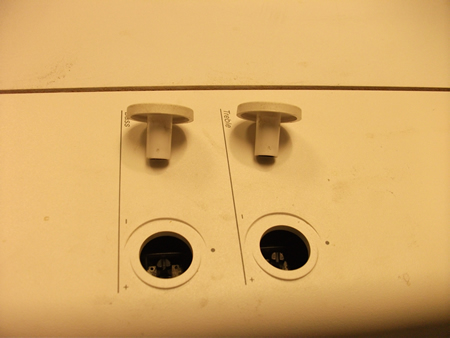
Remove the 2 tone control knobs by prying
outward with small screwdriver. Be sure to align the flat portion of the
shaft when re-installing knobs. |
 |
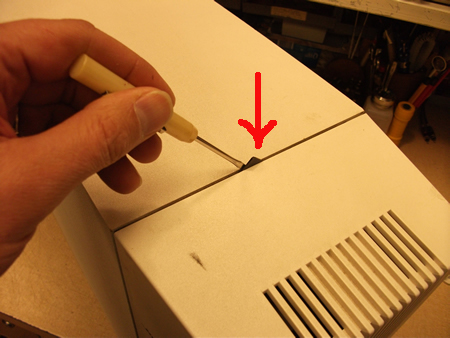
Rotate the release tab with a small
screwdriver so tab sticks out. |
 |
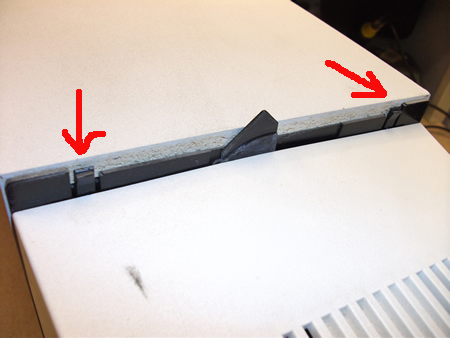
With plastic housing extending past the
edge of your work bench, tap on the housing with the palm of you hand in
a downwards motion. At the same time, using a small screwdriver, release
the 2 plastic tabs to free the housing. The housing will slide down
about 1-2 inches then will release from its mountings. |
 |
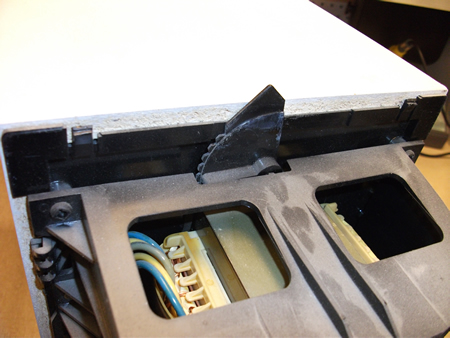
Here is a picture of the housing removed.
The release tab needs to be in this position when the housing is
reinstalled. |
 |
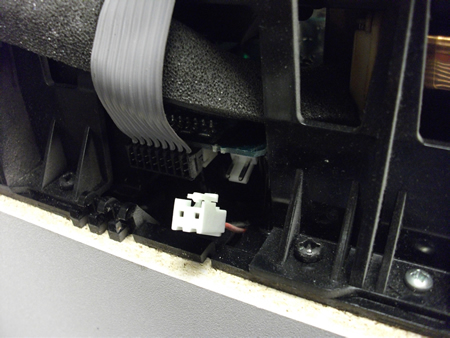
Remove the small white connector, located
next to the gray flat cable by pressing the
release tab on the connector and pulling connector off. |
 |
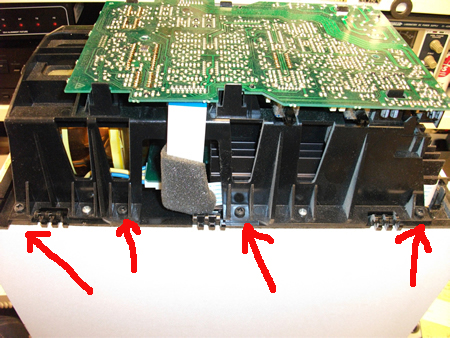
Remove the 4 black screws from side 1 as
shown. Do not remove the 2 silver screws. |
 |
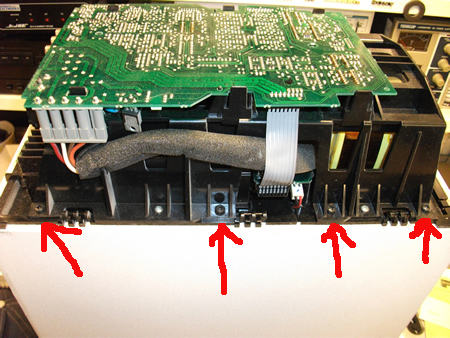
Remove the 4 black screws from side 2 as
shown. Do not remove the 2 silver screws. |
 |
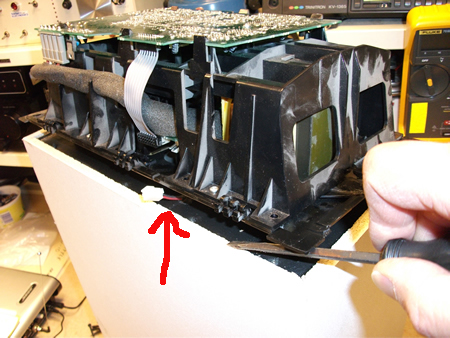
Using a screwdriver, carefully pry the
module assembly from the speaker cabinet. It may take some effort to
release the module, it sticks to the gasket, but will come loose with
time. Move the connector wire through the slot in the plastic cases so not to get damaged. |
 |
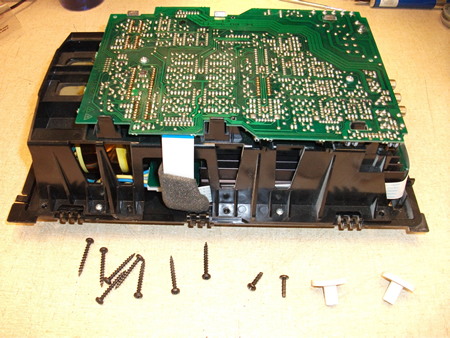
The module assembly can now be removed.
|
 |
Module assembly ready for shipping. Wrap
in heavy paper or several sheets of newspaper or other non-static
material then bubble wrap. |
 |
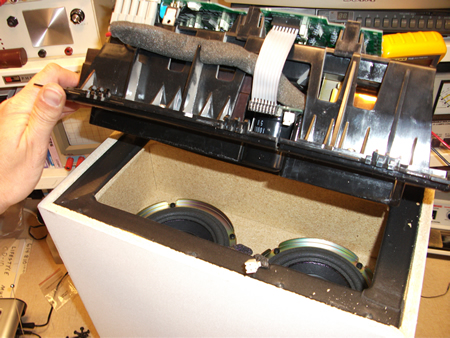
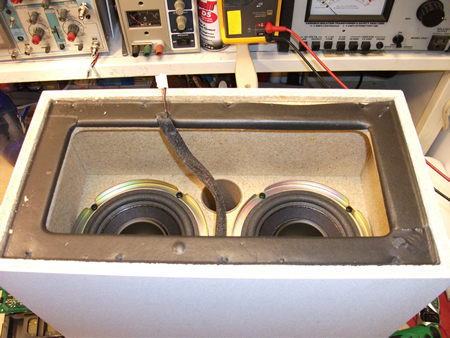
Speaker cabinet with module assembly
removed. Inspect the woofers for surround foam damage. Look for cracking
between speaker cone and foam. If any damage exists the woofer will need
to be re-foamed or replaced. |
|
Reverse these steps to reassemble base module |